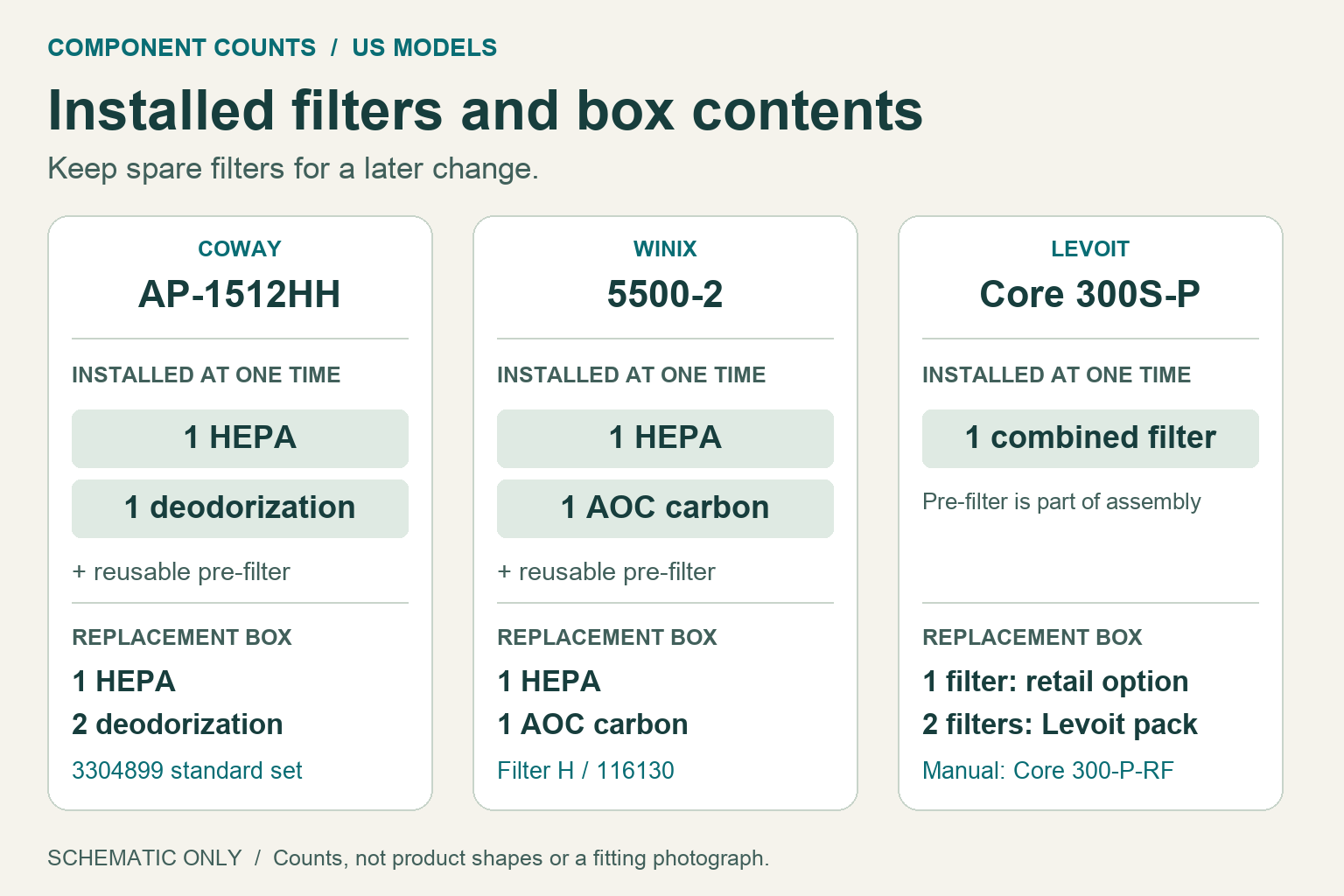
Coway AP-1512HH uses one HEPA and one deodorization filter at a time; its standard replacement box contains an extra deodorization filter. Winix 5500-2 uses one HEPA and one AOC carbon filter. Levoit Core 300S / 300S-P uses one combined filter, even when you buy a two-pack.
Unplug the purifier before opening it. Remove the new filter’s plastic wrapping before installation, close the cover before restoring power, and reset the indicator only after the replacement. The three models use different controls and hold times.
Installed components and replacement boxes
A pack quantity tells you what arrives, not how many parts to install together. Both Coway and Winix retain a separate reusable pre-filter; the Levoit pre-filter is the outer surface of its combined assembly.
| Exact purifier | Installed at one time | Replacement pack |
|---|---|---|
| Coway AP-1512HH / AP-1512HH(W) | 1 HEPA + 1 deodorization filter, behind the retained reusable pre-filter. | Standard 3304899 set: 1 HEPA + 2 deodorization filters. Install one deodorization filter; keep the other for a later change. |
| Winix 5500-2 | 1 HEPA + 1 washable AOC carbon filter, behind the retained reusable pre-filter. | Filter H / 116130: 1 HEPA + 1 AOC carbon filter. |
| Levoit Core 300S / Core 300S-P | 1 combined filter assembly, with an outer pre-filter surface. | Recorded Core 300-RF Amazon option: 1 filter. Linked Levoit product: 2 filters. The current manual calls its Original Filter Core 300-P-RF; keep that suffix when comparing products. |
Coway AP-1512HH: replace the filter and select the right counter
1. Unplug the AP-1512HH. Pull the front cover’s upper edge forward, release the pre-filter and remove the used component. Unwrap the new part. Refit HEPA at the rear, deodorization filter ahead of it and pre-filter at the front; follow FRONT markings and secure the grip. Close the cover, reconnect power and turn the purifier on.
2. After replacing the component whose indicator is lit, hold Filter Reset for 2 seconds. Odor identifies the deodorization filter; HEPA identifies the HEPA filter.
3. If you changed a filter before its light came on, hold Reset for 2 seconds to enter the manual’s forced-reset mode. Press once to select Odor or twice to select HEPA, then hold Reset for 2 seconds to clear that component’s counter. The mode cancels after 5 seconds without input.
Clean the pre-filter every 2–4 weeks and dry it completely. Deodorization has six-month replacement guidance; HEPA has annual guidance, depending on use. These control steps cover AP-1512HH / AP-1512HH(W); they do not cover Wi-Fi AP-1512HHS or 200M.
Winix 5500-2: install Filter H and hold reset until the beep
1. Switch off and unplug the 5500-2 before maintenance. Pull the upper edge of the front panel forward, release the pre-filter and remove the used HEPA and AOC carbon components. Remove all plastic from the new Filter H / 116130 components.
2. Install HEPA at the back, AOC carbon in the middle and the retained pre-filter at the front. Secure the filters and close the front panel, then reconnect power and turn the purifier on.
3. Hold the Filter Reset button for at least 5 seconds, until the beep. The Filter Replacement Indicator should disappear.
The pre-filter can be vacuumed or brushed every 14 days. If very dirty, rinse it without soap. Rinse the AOC carbon filter under gently running room-temperature water about every three months, without detergent; allow washed parts at least 24 hours to dry completely. Never wash the HEPA filter. Winix recommends replacing both Filter H components about every 12 months, depending on conditions. These control steps are for the US 5500-2, not other Filter H-compatible purifiers.
Levoit Core 300S / 300S-P: replace one assembly, then hold Sleep
1. Unplug the purifier and turn it upside down. Turn the base filter cover counterclockwise and remove the old assembly. Vacuum loose dust or hair from inside; do not use water or other liquids.
2. Unwrap one matching new filter and insert it with its pull handle facing up. Refit the base cover and turn it clockwise to lock. Return the purifier upright before reconnecting power.
3. Turn the purifier on and hold the Sleep Mode button, marked with a moon, for 3 seconds. The red Check Filter Indicator should go out. If the filter was changed before the light appeared, hold Sleep for 3 seconds; the indicator flashes for 3 seconds, then goes out.
Brush or vacuum the outer pre-filter every 2–4 weeks; never wash the assembly. Replacement guidance is 6–8 months, depending on use and condition. The indicator reminds you to check the filter; it does not measure remaining capacity.
The US manual covers Core 300S and Core 300S-P series. Core 300-P shares the filter family, but its controls are outside this sequence. Other regions and Core 200S, 400S, 600S and Mini need their own instructions.
Filters in this guide
Sources
Sources
- Coway US AP-1512HH / AP-1512HH(W) manualChecked
- Coway Mighty AP-1512HH / 200M replacement setChecked
- Winix US 5500-2 user manual, revision 05Checked
- Winix Filter H / 116130 manufacturer productChecked
- Levoit US Core 300S / Core 300S-P series user manualChecked
- Levoit Core 300-P / 300S-P replacement-filter two-packChecked